Elements
Donate buttons, campaign grids, QR codes, links and gentle prompts that start a gift, all managed from your dashboard.
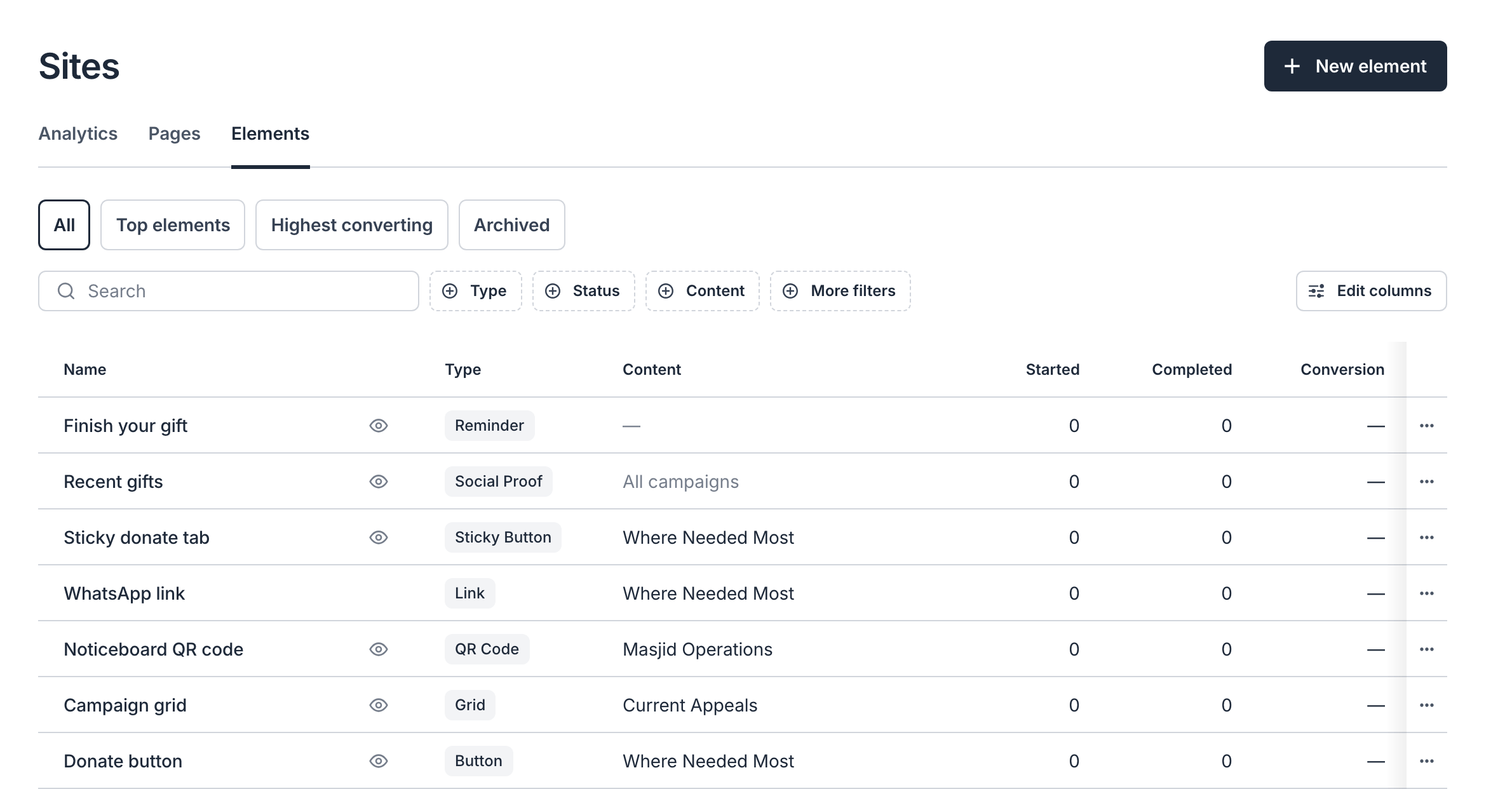
Elements are the ways a donor starts a gift with you. Use a Donate button on your homepage, a grid of your Ramadan campaigns, a QR code on the masjid noticeboard, or a link in your WhatsApp group. You create and edit them under Sites → Elements, and every change reaches your website on its own.
Choose an Element, copy link to this section
| Element | What donors see | What you do |
|---|---|---|
| Button | A Donate button wherever you place it | Add the embed code, then paste the button's tag into a page |
| Grid | Your campaigns as cards, each with its own button | Add the embed code, then paste the grid's tag into a page |
| Sticky Button | A Donate tab pinned to the edge of the screen | Add the embed code, then choose the pages |
| Social Proof | Small notices of recent gifts | Add the embed code, then choose the pages |
| Reminder | A nudge to finish a gift the donor started | Add the embed code, then choose the pages |
| QR Code | A code to scan from print or a screen | Download and print it |
| Link | A web address to share | Copy and share it |
Every element that appears on your website needs the embed code on your site. It goes in once, and then works for every element you create. QR codes and links work without it.
New to Nizam on your website? Start with Add a Donate button. It walks through everything from the embed code to checking the button works.
Settings Every Element Shares, copy link to this section
Opens in chooses where the donor gives. Checkout Modal opens the checkout over your page, so donors never leave your site. Hosted Page sends them to your campaign's hosted page.
Content chooses the campaign or campaign group gifts go to. Leave it on Most popular campaign and the element follows whichever campaign raised the most over the last 30 days.
Prefill sets the frequency or amount the checkout opens with. For a Zakat eligible campaign, you can also turn on Preselect Zakat. Donors can still change anything you prefill.
Active turns a Link, QR Code, Sticky Button, Social Proof or Reminder off without deleting it. A Button or Grid shows wherever its tag is, so remove the tag to take one off a page.
Seeing What Works, copy link to this section
The Elements table shows how each element performs: how many times it opened checkout (Started), how many gifts it brought in (Completed), and its Conversion rate. Use the Top elements and Highest converting views to see which ones bring in the most gifts. Every donation records the element that started it.