Remind Donors to Finish Their Gift
A gentle second chance for donors who close the checkout without giving.
A Reminder gives donors a second chance when they close the checkout without giving. A few seconds later, a small card asks if they still want to give and shows the gift they started, such as $50 a month. Finish reopens the checkout with the same amount and frequency. You don't paste anything into your pages: Nizam shows the card for you.
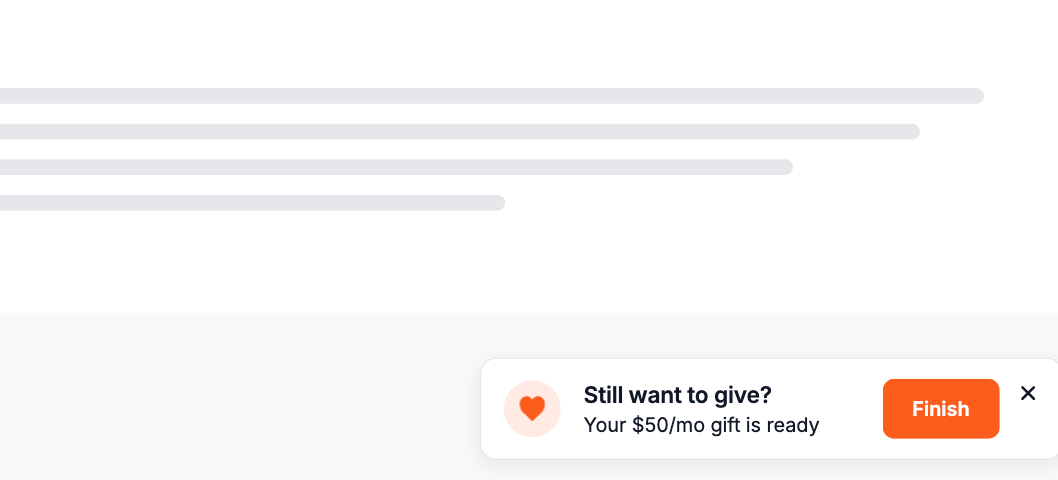
Reminders work with the checkout that opens on your website, so your site needs a Donate button or another element that opens the Checkout Modal.
Create the reminder
In your dashboard, go to Sites → Elements and click New element. Give it a name your team will recognize, choose Reminder as the type and click Create element.
Choose where and how often it shows
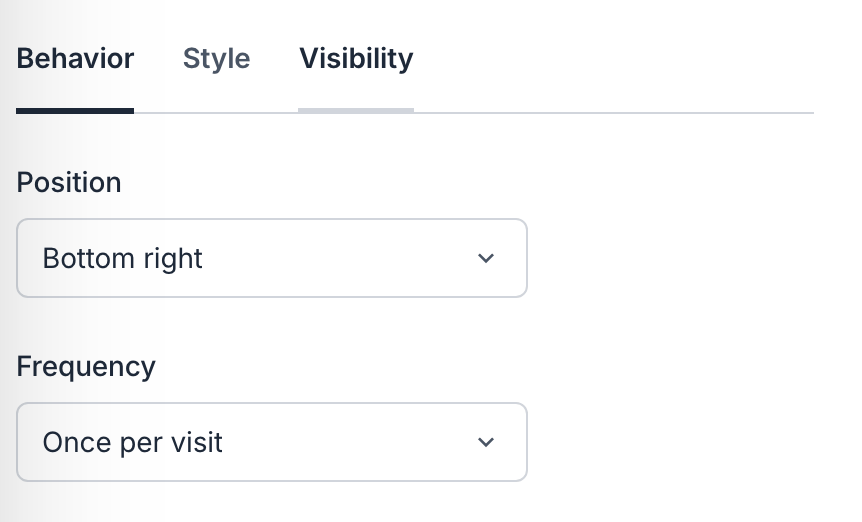
On the Behavior tab, choose the corner it appears in and how often it shows: Once per visit, Once per day or Every time.
On the Style tab, set the card's icon, width, corners, shadow and border.
Add the embed code to your site
If you've already added a Donate button, the embed code is on your site and you can skip this step. Otherwise, copy it from Settings → Website → Embed code and paste it into the header of every page. Install the embed code has the steps for WordPress, Squarespace, Google Tag Manager and other websites.
Choose where it appears
On the Visibility tab, choose the devices, the pages to include or exclude, and an optional schedule. These work the same way as for a Sticky Button.
Make sure Active is on. To test it, open one of those pages in a private window, open the checkout, choose an amount, then close the checkout without giving. The reminder appears a few seconds later.
How It Behaves, copy link to this section
A Reminder never appears after a donor has completed a gift during that visit. If the donor closes it, it doesn't come back during that visit unless they start another gift. To stop showing reminders, switch off Active.